Home — Countdown bar, hero collage, outcomes, before/after, syllabus, student work, teacher, pricing and FAQ.
Every page, and what’s in it
- HomeCountdown bar, hero collage, outcomes, before/after, syllabus, student work, teacher, pricing and FAQ.
- SyllabusSix weeks in tabs with a lesson checklist and a progress ring that remembers.
- EnrolPlan, cohort, pay in full or in three instalments, and a discount code.
What’s included
- Countdown to enrolment closing
- Plans with pay-in-full or instalments
- Cohorts with places left and discount codes
- Syllabus checklist with saved progress
- Calendar invite for the first live session
- Real photography, credited (CC BY 2.0)
Getting it running
Unzip the folder and run:
Open index.htmlThe download is the complete, unminified source with a README and the licence. Guides for every host, from Netlify to Shopify
DocumentationThe full README that comes in the download. Read it before you buy.
A calm, editorial sales site for an online course, workshop series or cohort-based programme: a countdown to enrolment closing, a free-lesson preview, a before-and-after slider, a week-by-week syllabus, a student work gallery, plans with pay-in-full or instalments, a syllabus page where visitors can tick off lessons, and an enrolment page with cohorts, discount codes and a calendar invite for the first live session.
Files
index.html       Hero, outcomes, before/after, syllabus preview, gallery, teacher, pricing, FAQ
syllabus.html    Weeks in tabs, lesson checklist with saved progress, assignment briefs
enrol.html       Plan, cohort, payment option, details and discount code; order summary
credits.html     Photo credits (keep this if you keep the photos)
assets/style.css All styling; theme tokens (colours, fonts) at the top
assets/app.js    Countdown, lesson modal, slider, pricing, progress and enrolment
assets/img/      Photographs, plus credits.json
No build step. Open index.html, or upload the folder to any static host.
Settings
At the top of assets/app.js:
COHORTS: each cohort's name, enrolment close date and places left. The notice bar counts down to the next one that's still open. Keep these in step with the cohort options onenrol.html(data-closeanddata-starton each option).INSTALMENTSandINSTALMENT_FEE: how many monthly payments, and the surcharge for spreading the cost (0.05 is 5%).CODES: discount codes, as apercentor a fixedamountin pounds.LIVE_LENGTH_MINS: the length of the calendar invite.
Plan prices live on the plan cards and options as data-price.
The syllabus
The lessons and assignment briefs are written into syllabus.html. Each
checkbox has a data-lesson id; progress is saved in the visitor's browser,
so it works as a preview of what students see inside the course.
Taking payment
"Continue to payment" validates and confirms but doesn't charge anyone. Connect it to your course platform's checkout (Teachable, Podia, Thinkific and Kajabi all give you checkout links per plan) or to Stripe Checkout, passing the plan and payment option.
Photos and captions
The gallery captions ("Priya · week 4") are example content. The
photographs are licensed CC BY 2.0: you can use them commercially as long
as the photographers are credited, which credits.html does. Swap them for
your students' work, with permission, as soon as you can.
Colours and fonts
Theme tokens are at the top of assets/style.css; the online editor changes
them for you. --sun is the butter-yellow highlight. Fonts are Gloock and
Hanken Grotesk from Google Fonts (SIL Open Font Licence).
assets/img/bamboo.jpg: "超級軟的茶凍" by pan vanessa (https://www.flickr.com/photos/kalaok/2510779863), CC BY 2.0 (https://creativecommons.org/licenses/by/2.0/). Cropped, resized and colour-adjusted.assets/img/bowl.jpg: "Jin dynasty bowl, MFA, Boston" by Ryan Baumann (https://www.flickr.com/photos/ryanfb/11244732353), CC BY 2.0 (https://creativecommons.org/licenses/by/2.0/). Cropped, resized and colour-adjusted.assets/img/candle.jpg: "RIMG0984" by vaboo.com (https://www.flickr.com/photos/vaboo1967/3800041949), CC BY 2.0 (https://creativecommons.org/licenses/by/2.0/). Cropped, resized and colour-adjusted.assets/img/candlebox.jpg: "Decorated matchbox from www.nordictouch.co.uk" by Elin B (https://www.flickr.com/photos/beckmann/5455475869), CC BY 2.0 (https://creativecommons.org/licenses/by/2.0/). Cropped, resized and colour-adjusted.assets/img/espresso.jpg: "Let's take a coffee break" by McPig (https://www.flickr.com/photos/mcpig/2130106302), CC BY 2.0 (https://creativecommons.org/licenses/by/2.0/). Cropped, resized and colour-adjusted.assets/img/flowers.jpg: "Lauren's Arrangement for Sisterhood Conference" by Matt Wiebe (https://www.flickr.com/photos/mattwieve/13917318906), CC BY 2.0 (https://creativecommons.org/licenses/by/2.0/). Cropped, resized and colour-adjusted.assets/img/latte-tall.jpg: "Flat white coffee at Axil Coffee in Hawthorn" by Katherine Lim (https://www.flickr.com/photos/ultrakml/17350959312), CC BY 2.0 (https://creativecommons.org/licenses/by/2.0/). Cropped, resized and colour-adjusted.assets/img/latte.jpg: "Flat white coffee at Axil Coffee in Hawthorn" by Katherine Lim (https://www.flickr.com/photos/ultrakml/17350959312), CC BY 2.0 (https://creativecommons.org/licenses/by/2.0/). Cropped, resized and colour-adjusted.assets/img/matcha.jpg: "なんか、変なの出てきた" by Nori Norisa (https://www.flickr.com/photos/norisa/16851695610), CC BY 2.0 (https://creativecommons.org/licenses/by/2.0/). Cropped, resized and colour-adjusted.assets/img/studio.jpg: "Lauren's Arrangement for Sisterhood Conference" by Matt Wiebe (https://www.flickr.com/photos/mattwieve/13917318906), CC BY 2.0 (https://creativecommons.org/licenses/by/2.0/). Cropped, resized and colour-adjusted.assets/img/teapot-wide.jpg: "Error418" by Windell Oskay (https://www.flickr.com/photos/oskay/12821120745), CC BY 2.0 (https://creativecommons.org/licenses/by/2.0/). Cropped, resized and colour-adjusted.assets/img/teapot.jpg: "Error418" by Windell Oskay (https://www.flickr.com/photos/oskay/12821120745), CC BY 2.0 (https://creativecommons.org/licenses/by/2.0/). Cropped, resized and colour-adjusted.
Reviews
No reviews yet. Only verified buyers can review.
You might also like
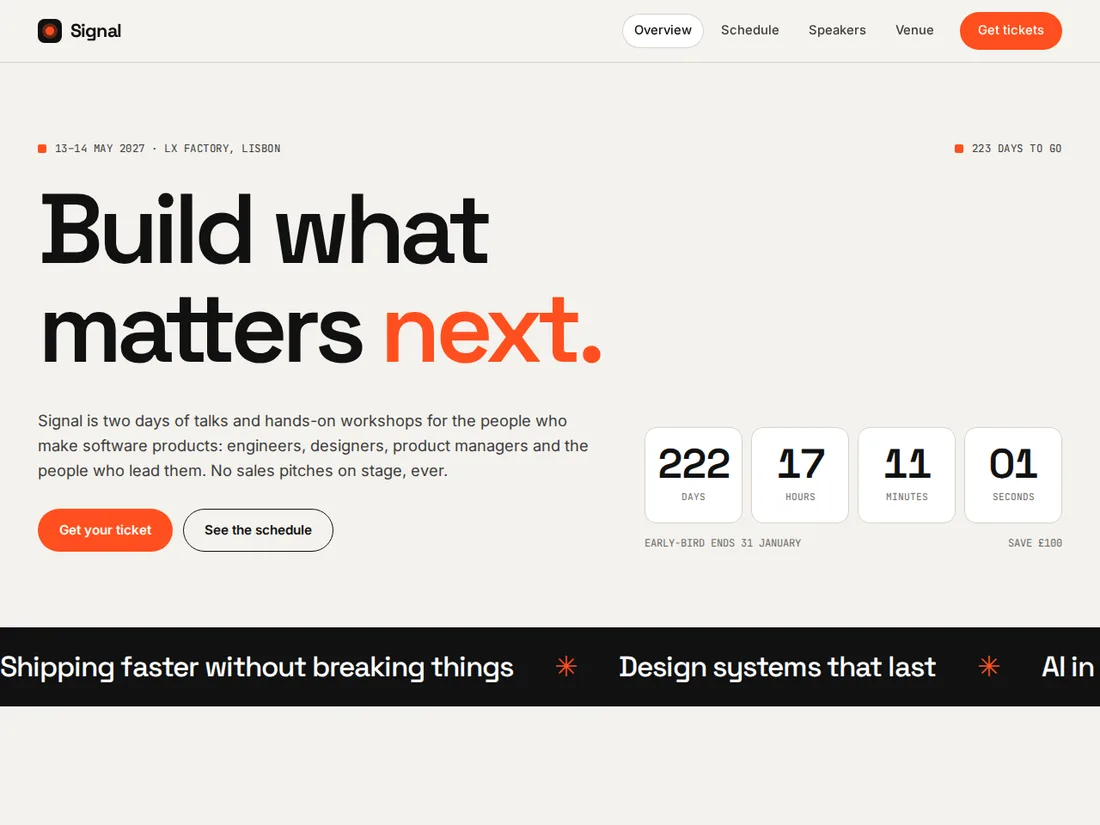 Premium Live preview
Signal
Tech conference
A bold conference site with a live countdown, four colour-coded tracks, speaker bios, a schedule visitors can star and filter, and a ticket checkout.
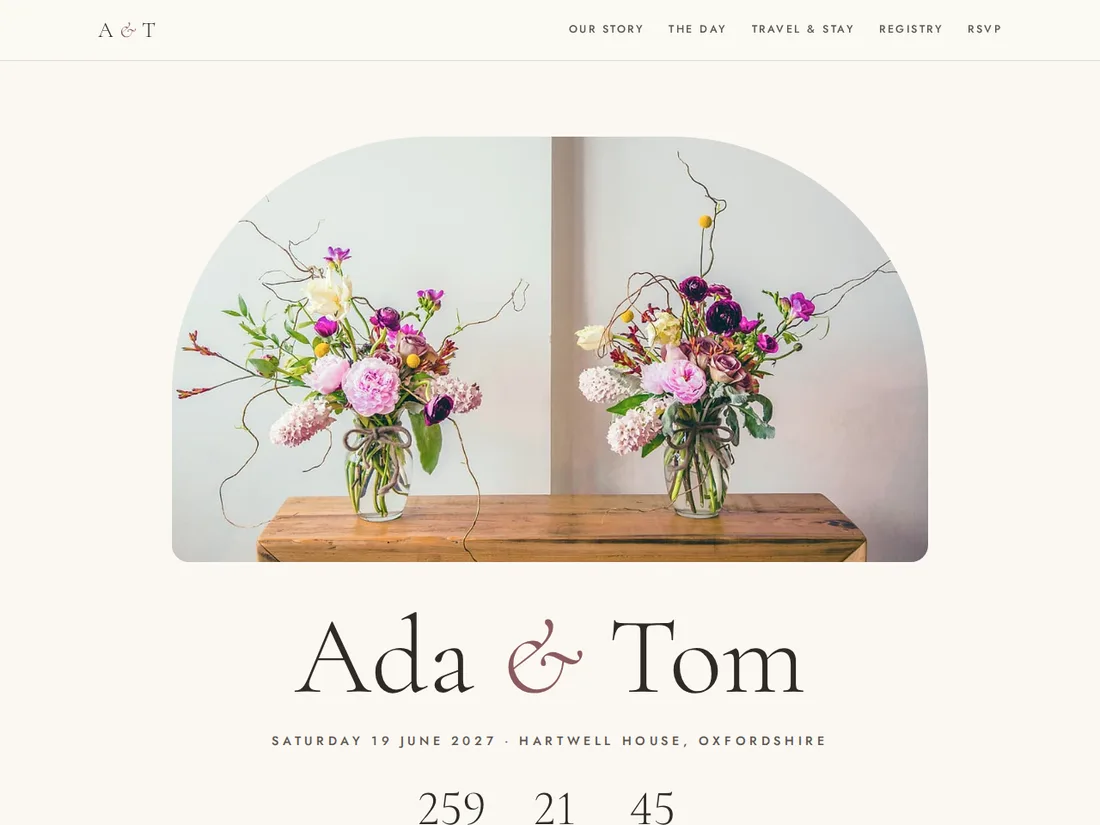 Starter Live preview
Ada & Tom
Wedding website
A romantic wedding website with a live countdown, your story, the day's timeline, venue and travel details, a registry and an RSVP with meal choices for every guest.
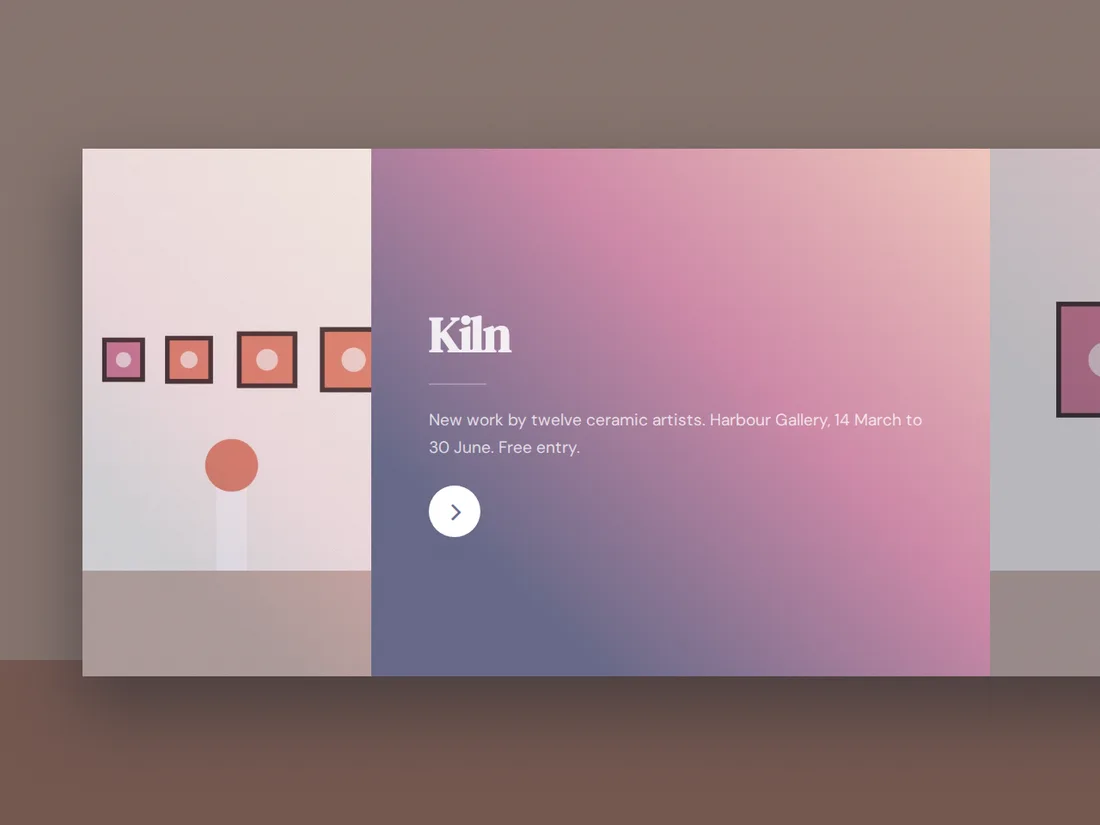 Starter Live preview
Kiln
Ceramics exhibition
An immersive horizontal-scrolling site for an exhibition: colour panels for the show, the artists, visiting details and tickets.